Help CentreLogin
ElectricityGasBroadbandMobileMoving HouseRewards
Join
ElectricityGasBroadbandMobileMoving HouseRewards
Join
Our Products
  • Electricity
  • Gas
  • Broadband
  • Mobile
  • Rewards
Help and Support
  • Help Centre
  • My Account
  • Outages and Faults
  • Consumer Care and Support
  • Contact Us
About Mercury
  • About Us
  • Investors
  • News
  • Careers
CUSTOMER SERVICE0800 10 18 10
JOIN US or ADD A NEW SERVICE0800 36 98 45
GET OUR MOBILE APP
Get it on Google PlayDownload on the App Store
© Copyright 2026 MercuryTermsPrivacy Policy
  1. Home
  2. /
  3. Help Centre
  4. /
  5. BILLING AND PAYMENTS
  6. /
  7. SmoothPay
SmoothPay Hero Mobile

SMOOTHPAY

Cover your bills with SmoothPay. Pay the same fixed amount weekly or fortnightly, making it easier to budget.

WHAT IS SMOOTHPAY?

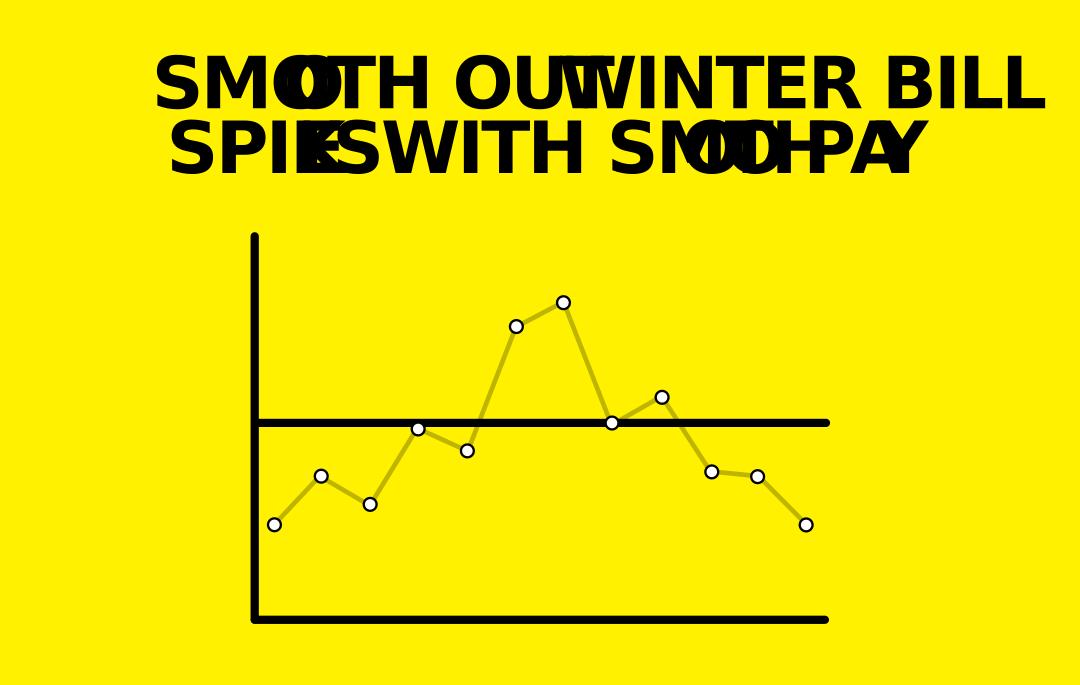
SmoothPay is a payment option that evens out your bill payments across the year. With SmoothPay, you pay the same amount each time, so you don’t have to worry about seasonal usage spikes in your electricity bill.


SmoothPay Graphics   Landscape 02 01


  • Pay the same amount each time, no matter your electricity usage and bill total.
  • Choose between weekly or fortnightly payments, whatever suits your needs.
  • You’ll still be able to use the Mercury App to stay across your electricity usage.
  • Your SmoothPay payments are automatically reviewed, so you can be sure you're always paying the right amount.

SETTING UP SMOOTHPAY

Setting up SmoothPay   On Direct Debit Content Tile

ALREADY ON DIRECT DEBIT? OR NEW TO MERCURY?

If you've got a direct debit set up or have been with Mercury for less than 3 months, please chat with us to set up SmoothPay.

CHAT WITH US
Setting up SmoothPay manual billing Content Tiles

PAYING YOUR BILLS MANUALLY?

It's easy to set up SmoothPay in the Mercury App, or you can chat with us. Check out our guide on how to set up SmoothPay.

VIEW GUIDE

HELPFUL INFORMATION

Your SmoothPay payments are determined by your usage and Mercury services. SmoothPay is designed so that in the summer months, you build up a credit which goes towards the higher bills you generally experience during the winter period.


So we can factor in your seasonal usage, it’s best if you’ve been with us for at least a year. If you’ve recently joined, you can also provide bills from your previous provider to help us calculate your payment amount, or you can choose our default amount until we have more usage information.


We review your SmoothPay every four months to make sure you're paying the right amount based on your usage. If your payment amount needs to be increased or decreased, we’ll send you a letter with the new amount and what date it will be effective from.

Once you’ve set up SmoothPay, you’ll still receive your monthly bill. However, you don’t need to worry about your account balance as SmoothPay covers this.
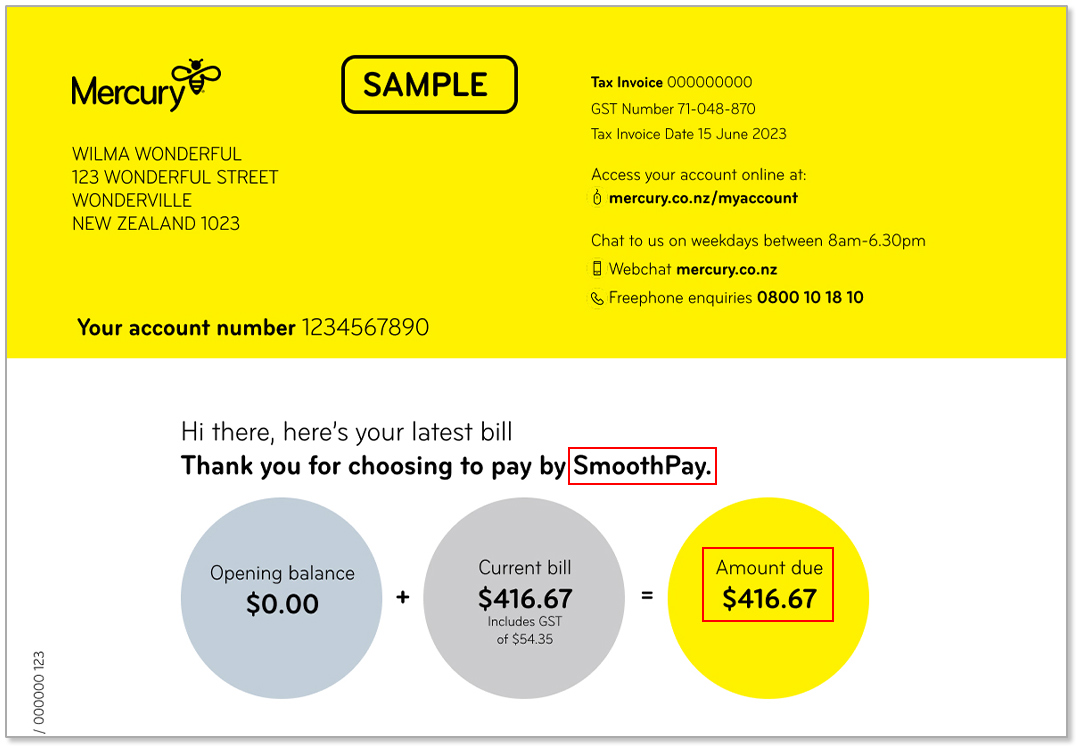
Mercury SmoothPay Example Bill

You’ll see your fixed payments in your Opening Balance Summary at the top of the second page of your bill.
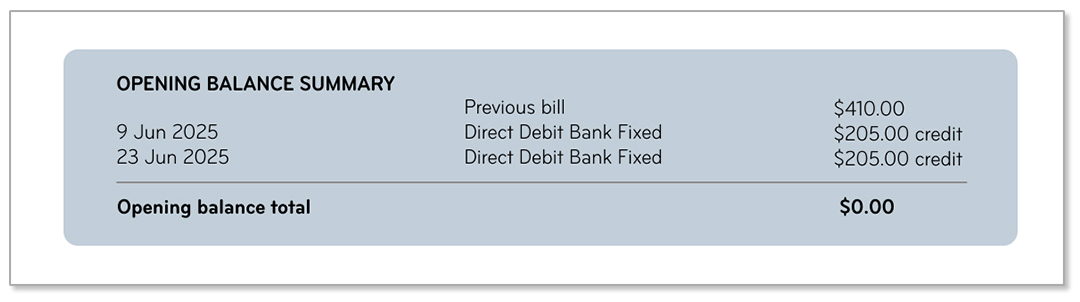
Mercury SmoothPay Example Bill

SmoothPay is for Mercury residential customers. If your account is in arrears you should clear this before setting up SmoothPay. You also may not be eligible if you have recently had your SmoothPay arrangement cancelled.

View SmoothPay terms and conditions.

UNDERSTANDING WINTER HIGH BILLS

Most of us will notice our electricity bills are higher as we spend more time indoors, use more energy to heat our homes, and keep ourselves entertained. Check out our Winter Hub for energy-saving tips and guides to help you understand your charges.

WINTER HUB

UNDERSTANDING WINTER HIGH BILLS

Most of us will notice our electricity bills are higher as we spend more time indoors, use more energy to heat our homes, and keep ourselves entertained. Check out our Winter Hub for energy-saving tips and guides to help you understand your charges.

WINTER HUB

UNDERSTANDING WINTER HIGH BILLS

Most of us will notice our electricity bills are higher as we spend more time indoors, use more energy to heat our homes, and keep ourselves entertained. Check out our Winter Hub for energy-saving tips and guides to help you understand your charges.

WINTER HUB

HELP CENTRE

Check out our Help Centre for FAQs and tools.

VIEW FAQS

HELP CENTRE

Check out our Help Centre for FAQs and tools.

VIEW FAQS

HELP CENTRE

Check out our Help Centre for FAQs and tools.

VIEW FAQS