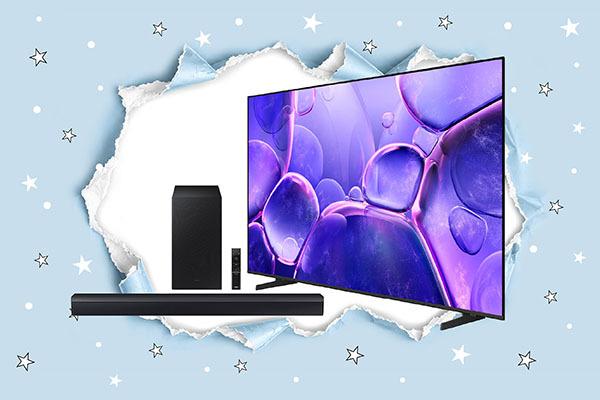
A BRAND NEW 65" SAMSUNG TV
5-8 December
A new BIG TV to binge all your festive favourites on.

Chances to win epic prizes will be sprinkled throughout December with Mercury Rewards.
Rewards terms and eligibility apply.
Epic prizes are up for grabs with Mercury Rewards throughout December.
Here's a sneak peak of some of the prizes to look out for and when they'll be unwrapped in the Mercury App.
5-8 December
A new BIG TV to binge all your festive favourites on.
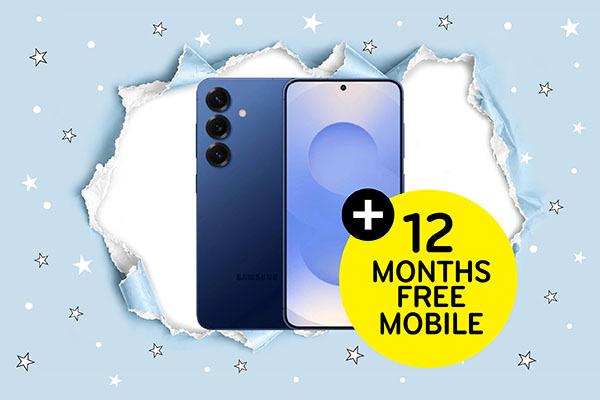
11-13 December
A brand new phone AND your plan paid for a year.
17-19 December
I’m something you use from morning till night. What could I be? You’ll have to enter on the day to see.
24-26 December
Stay online from summer to snow. What could this prize be? Make sure you enter to be in the know.
There will be chances to win throughout December with rewards challenges in the Mercury App.
To learn how to enter app challenges, follow the steps or view our guide.

Search for 'Mercury App' in either the App Store or Google Play.
Open the ‘REWARDS’ section in the Mercury App.

If there is a step or question challenge available, tap ‘ENTER CHALLENGE’.

Complete a challenge to earn points or go in the draw to win a prize.
Follow these simple steps to make sure your notifications for rewards are switched on so you don’t miss a challenge.
In the Mercury App click on the profile Icon.
Select App settings and then Notifications.
Make sure the notification switch for rewards is on.
Check your phone settings to ensure Mercury notifications are enabled
There will be chances to win throughout December with rewards challenges in the Mercury App. To learn how to enter app challenges, follow the steps or view our guide.
Absolutely! You may enter every rewards challenge that we run in December. Make sure your notifications are turned on so you don’t miss one.
We’ll be contacting winners for challenges closing before the 18th December by the 23rd December 2026. For any challenges closing after the 18th December, winners will be contacted after the 7th January 2027. A full list of our winners will be available to view on our competition winners page. Good Luck!
Each rewards challenge and prize draw will have it’s own set of terms and conditions that will be available for you to view at the time of entry.
All prizes will be fulfilled by the end of January 2027. Please refer to the individual terms for each giveaway for more details.